


How to Improve Streaming Quality Without Upgrading Every Device
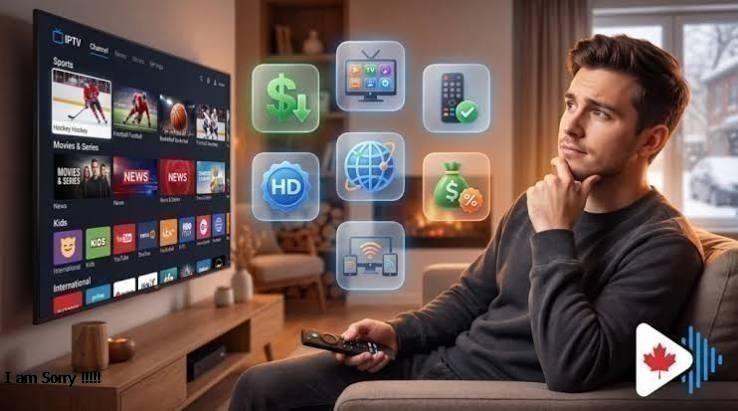
A smooth streaming experience does not always require purchasing the latest television, streaming box, or expensive accessories. In many homes, poor video quality is caused by network problems, outdated settings, or simple setup issues rather than the age of the equipment itself.
Before replacing your devices, it is worth checking whether a few practical adjustments can improve performance. From improving Wi-Fi coverage to changing display settings, several affordable solutions can make streaming more consistent.
Check Your Streaming Settings
The first place to look is the settings available on your television or streaming device. Video quality options can affect how much bandwidth is being used and how smoothly content plays.
Many services allow viewers to adjust playback quality according to their connection. A streaming platform may also provide automatic quality adjustments, which can be useful when network conditions change during playback.
If your connection is struggling, reducing the video quality slightly can sometimes eliminate buffering. On the other hand, if your connection is stable and your television supports higher resolutions, checking that the appropriate quality setting is enabled can help you get better picture quality.
Also review data-saving options. Some applications reduce video resolution to limit bandwidth usage, which may be useful on mobile devices but unnecessary on a home Wi-Fi connection.
Improve Your Wi-Fi Connection
Wi-Fi performance can have a major effect on streaming quality. A television may be only a few meters from the router, but walls, furniture, and other electronic equipment can still weaken the signal.
Try placing the router in a central, open location rather than inside a cabinet or behind large objects. Keeping it elevated can also help distribute the wireless signal more effectively.
If your router supports multiple frequency bands, connecting the streaming device to the appropriate network can make a difference. A less congested connection may provide more consistent performance.
Reduce Network Congestion
Your internet connection may be fast enough for streaming but still experience problems when many devices are using it simultaneously.
Large downloads, cloud backups, online gaming, video calls, and multiple streams can all compete for available bandwidth. If possible, schedule large downloads for another time or disconnect devices that are not currently needed.
For families with several connected devices, checking which equipment is consuming the most bandwidth can help identify the source of interruptions.
Consider Using Ethernet
For televisions or streaming boxes located close to the router, an Ethernet cable can be a simple way to improve connection stability.
Wired connections avoid many of the interference issues associated with Wi-Fi. They can be particularly useful for households where the television is permanently positioned in one location.
You do not necessarily need to connect every device by cable. Using Ethernet for the main television or streaming box while keeping phones and tablets on Wi-Fi can be a practical compromise.
Keep Your Software Updated
Software updates are often overlooked when troubleshooting streaming problems. Your Smart TV, streaming device, and individual applications may all require occasional updates.
Updates can improve compatibility, fix bugs, and address performance problems. Check the software version on your television and streaming equipment, and enable automatic updates if the option is available.
If an application begins behaving unusually, closing and reopening it or restarting the device can also resolve temporary problems.
Adjust Your Television Settings
Your television's factory settings may not provide the best picture for every room. Brightness, contrast, sharpness, motion processing, and other display options can affect how content looks.
Instead of immediately buying a new television, explore the existing picture modes. Many TVs offer presets designed for movies, sports, standard viewing, or gaming.
Avoid increasing sharpness or processing effects too aggressively. In some cases, excessive processing can make an image look less natural rather than improving it.
Restart Your Equipment Regularly
A simple restart can sometimes solve problems that appear more complicated. Streaming devices, routers, and Smart TVs can accumulate temporary processes or connection issues after extended periods of use.
If streaming suddenly becomes unstable, restart the affected device first. If that does not help, restarting the router can also refresh the network connection.
Regularly restarting equipment is not a substitute for solving an underlying technical problem, but it can be useful for occasional glitches.
Check the HDMI Connection
When using an external streaming device, do not overlook the HDMI connection. A loose or unsuitable cable can contribute to display problems or prevent certain video features from working correctly.
Make sure the cable is firmly connected and that the television is set to the correct HDMI input. If you experience persistent display issues, testing another compatible HDMI cable or port can help determine whether the connection is responsible.
Clear Unnecessary Applications
Smart TVs and streaming devices can become cluttered with applications that are rarely used. While removing unused apps will not increase internet speed, keeping your device organized can make navigation easier and may free some storage space.
Review installed applications periodically and remove services you no longer use. Keeping the system focused on the apps you actually need can make the overall interface more manageable.
When an Upgrade Is Actually Necessary
Not every streaming problem can be solved through settings and network adjustments. Older hardware may eventually lack support for newer applications, resolutions, or software features.
However, upgrading should generally be considered after checking the basics. If your internet connection is stable, software is updated, settings are appropriate, and the device still struggles with supported content, hardware limitations may be the issue.
At that point, replacing one component rather than the entire entertainment system may be enough.
Final Thoughts
Improving streaming quality does not always mean buying new equipment. Better router placement, reduced network congestion, software updates, appropriate video settings, and a stable connection can all contribute to smoother performance.
Before spending money on upgrades, take time to examine your current setup. A few small changes may be enough to improve picture quality and reduce interruptions while allowing your existing devices to remain useful for longer.

 English
 Arabic
 French
 Portuguese
 Deutsch
 Turkish
 Dutch
Dutch
 Italiano
 Russian
 Romaian
 Portuguese (Brazil)
 Greek
Greek
 ไทย
ไทย