


Does BPL TV Service Center diagnose failed screen-casting attempts from mobile devices?
INTRODUCTION
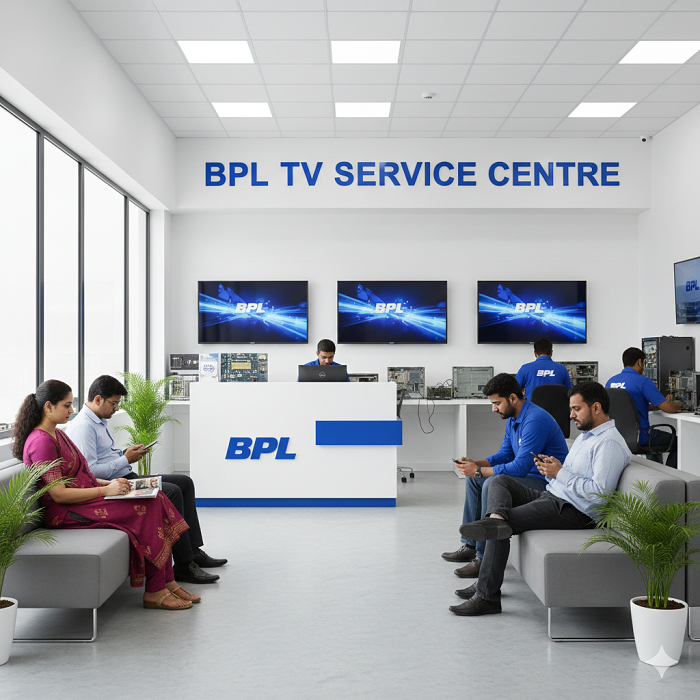
A BPL TV Service Center can help diagnose failed screen-casting attempts when a mobile phone cannot successfully mirror or cast its display to a compatible television. Screen casting depends on several factors, including wireless network connectivity, device compatibility, casting settings, software versions, permissions, and the TV’s network configuration. A phone may detect the television but fail to establish the connection, while in other situations the TV may not appear in the available device list at all. Identifying where the connection process stops is important because the cause may involve the mobile device, television, network, or casting feature rather than a single hardware fault.
Understanding Mobile Screen Casting
Screen casting allows a mobile device to send its display or selected media content to a television wirelessly. Depending on the devices involved, this can involve technologies such as screen mirroring, wireless display, or application-based casting.
The process generally requires the mobile device and television to communicate over a compatible wireless connection. The TV must have the appropriate feature enabled, while the phone must support the required casting method.
When casting fails, the first step is to determine whether the phone cannot discover the TV, discovers it but cannot connect, connects briefly and disconnects, or connects successfully but fails to display content correctly. Each symptom can point toward a different troubleshooting area.
Checking Wi-Fi Connectivity
A stable wireless connection is one of the most important requirements for successful screen casting. Both the mobile device and television may need to communicate through the same local network, depending on the casting technology being used.
Users should check whether the phone and TV are connected to the expected Wi-Fi network. A phone using mobile data while the television is connected to Wi-Fi may not establish a local casting connection.
Restarting the network connection on both devices can also clear temporary communication problems. If other devices are experiencing network interruptions, the router may require attention before the TV itself is investigated.
Checking TV Casting Settings
Some televisions require screen mirroring or wireless display functions to be enabled before a mobile device can discover them. Settings can vary depending on the TV software version and available features.
Users can review the TV's network and connection menus to confirm that the appropriate casting feature is available and active. If the setting is disabled, the mobile device may not display the television in its list of available devices.
A technician can also verify whether the casting function responds correctly when the TV is configured according to its supported settings.
Checking Mobile Device Compatibility
Not every mobile phone supports every wireless display or casting technology. A phone may support application-based casting but not traditional screen mirroring, or it may use a different wireless display standard.
Checking the mobile device's specifications and supported casting methods can help prevent compatibility confusion. If another compatible phone successfully connects to the television, the original phone may require further configuration or may use a different casting technology.
This comparison can help separate a TV-side problem from a mobile-device compatibility issue.
BPL TV Service Center in Kalwa
BPL TV Service Center in Kalwa can assist with diagnosing failed screen-casting attempts when basic network and settings checks do not resolve the issue. Troubleshooting can involve checking the television's wireless connection, casting functions, software behavior, and communication with compatible mobile devices.
A technician can compare different phones or casting methods to determine whether the issue occurs with one particular mobile device or across multiple compatible devices. This comparison can be useful when the TV appears connected to Wi-Fi but remains unavailable for screen mirroring.
The diagnostic process can also identify whether the television's network connection remains stable during a casting attempt.
Checking Device Discovery
One common symptom is that the television does not appear in the phone's casting or screen-mirroring list. This may happen when the devices are connected to different networks, the TV's casting feature is disabled, or a compatibility requirement has not been met.
Users can check the network name on both devices and confirm that they are connected as expected. Restarting Wi-Fi can sometimes refresh device discovery.
If the TV remains invisible to several compatible mobile devices, television-side settings or software deserve closer investigation.
Checking Network Band and Router Behavior
Modern routers may operate on different wireless bands, and device communication can sometimes be affected by network configuration. Depending on the equipment and casting method, the phone and television may need suitable network access to discover each other.
A router restart can clear temporary communication issues. Users can also check whether other wireless devices communicate normally.
If casting works on one network but not another, the network configuration may be contributing to the problem. This can include isolation settings or other router features that restrict communication between connected devices.
Checking Software Versions
Outdated software can sometimes affect casting functionality. The television's system software and mobile device operating system both play roles in wireless communication.
Users should check whether updates are available through the normal system settings. Updates should be installed according to the manufacturer's instructions, and the devices should not be interrupted while an update is in progress.
If a casting problem begins after a software change, recording the timing can provide useful information during troubleshooting.
BPL TV Service Center in Marine Lines
BPL TV Service Center in Marine Lines can help investigate casting failures that continue after checking network connections, compatibility, and software settings. A structured diagnosis can determine whether the TV receives casting requests but fails to establish a session or whether the mobile device cannot discover the TV at all.
Technicians can examine the TV's wireless functionality and compare its behavior with compatible mobile devices. If the television works with another phone, the original mobile device may need configuration changes.
If no compatible phone can connect, attention can shift toward the TV's software, network hardware, or internal wireless components.
Restarting Both Devices
A complete restart can resolve temporary communication problems. Users can turn off the television and restart the mobile device before attempting the casting process again.
Simply leaving the TV in standby may not always clear temporary network processes. A complete restart can refresh network services and background functions.
The router can also be restarted if several devices are experiencing connection difficulties. After the network becomes stable, users can attempt to establish the casting connection again.
Checking Permissions on the Mobile Device
Some mobile applications require permissions to discover nearby devices or communicate over the local network. If these permissions are restricted, the phone may not properly identify a compatible television.
Users can review the application's permission settings and confirm that the required access is enabled. The exact options depend on the phone's operating system and application.
Permission problems can be particularly relevant when casting works from one application but not another.
Checking Application-Specific Casting
There is a difference between full screen mirroring and casting content from an individual application. A streaming application may use its own casting system, while the phone's screen-mirroring function uses another method.
If a specific application cannot cast but general screen mirroring works, the issue may be application-related rather than a TV hardware problem.
Users can test another compatible application or another type of content. This comparison can show whether the failure is limited to one service or affects the entire casting system.
Understanding Audio and Video Symptoms
Sometimes a casting connection appears successful but produces incomplete results. For example, the TV may display the mobile screen without sound, show a blank area, freeze the image, or disconnect during playback.
These symptoms can involve network stability, content restrictions, application behavior, or compatibility. A successful connection does not necessarily mean every type of content will be supported.
Testing simple phone content, such as a home screen or locally stored image, can help distinguish basic mirroring problems from application-specific playback restrictions.
Checking for Interference
Wireless interference can affect casting reliability, particularly when many devices are using the same network. Nearby wireless equipment, crowded channels, or weak signal strength may contribute to unstable connections.
Moving the mobile device or router to a more suitable location may improve communication. The television should also have a stable connection to the wireless network.
If the TV consistently loses network connectivity even when the phone is not casting, the issue may extend beyond the casting feature.
Distinguishing Software and Hardware Problems
Failed screen casting does not automatically mean the television has a hardware defect. Network settings, compatibility, permissions, and software can all prevent successful casting.
Hardware investigation becomes more relevant when the television repeatedly fails to maintain its wireless connection, cannot detect compatible devices after proper configuration, or shows additional network-related problems.
Professional diagnosis can help determine whether the problem is limited to software and configuration or whether the TV's wireless circuitry requires inspection.
When Professional Diagnosis Is Useful
Professional assistance can be useful when multiple compatible mobile devices fail to connect, the television repeatedly disconnects from Wi-Fi, casting settings do not behave normally, or the problem continues after software and network checks.
Dial Service Centre can help approach the issue systematically by examining the TV, mobile device compatibility, wireless connection, casting settings, software, and network behavior.
A structured diagnosis helps avoid confusing a mobile-device limitation with a television fault.
Preventing Future Casting Problems
Keeping the TV and mobile device updated, maintaining a stable Wi-Fi connection, using compatible casting methods, and reviewing required permissions can reduce recurring problems.
Users should also remember which devices successfully connect and under what conditions. This information can make future troubleshooting easier.
When a casting issue occurs, testing another compatible phone and another supported application can provide valuable diagnostic evidence before more advanced troubleshooting is attempted.
Conclusion
Failed mobile screen casting can result from network configuration, device compatibility, disabled TV settings, software versions, application permissions, wireless interference, or television-side problems. The most useful first step is to identify exactly where the casting process fails.
Checking Wi-Fi connections, testing another compatible phone, reviewing casting settings, restarting devices, and confirming software updates can help narrow down the cause. When these steps do not resolve the problem, professional troubleshooting can determine whether the issue is related to the television's software, network functionality, or hardware.
Frequently Asked Questions
1. Why does my phone detect the BPL TV but fail to connect?
The problem may involve network communication, casting compatibility, permissions, software behavior, or temporary wireless errors. Testing another compatible phone can help narrow down the cause.
2. Do my phone and TV need to use the same Wi-Fi network?
Many screen-casting methods require the mobile device and TV to communicate through the same local network. The exact requirement depends on the casting technology being used.
3. Why does my BPL TV not appear on my phone?
The TV may have its casting feature disabled, the devices may be on different networks, or the phone and TV may not support the same casting method.
4. Can a software update fix screen-casting problems?
A software update may address compatibility or wireless-function issues when the problem is software-related. Updates should be installed according to the manufacturer's instructions.
5. When should I seek professional help for failed screen casting?
Professional troubleshooting is useful when multiple compatible phones fail to connect, the TV repeatedly loses Wi-Fi, or casting remains unsuccessful after network, settings, compatibility, and software checks.
Read Our Previous Blog------>Can Oscar TV Service Center repair problems with USB media file compatibility?

 English
 Arabic
 French
 Spanish
 Portuguese
 Deutsch
 Turkish
 Italiano
 Russian
 Romaian
 Portuguese (Brazil)
 Greek
Greek
 ไทย
ไทย