


How to Identify Problems With a Laptop’s Power Circuit
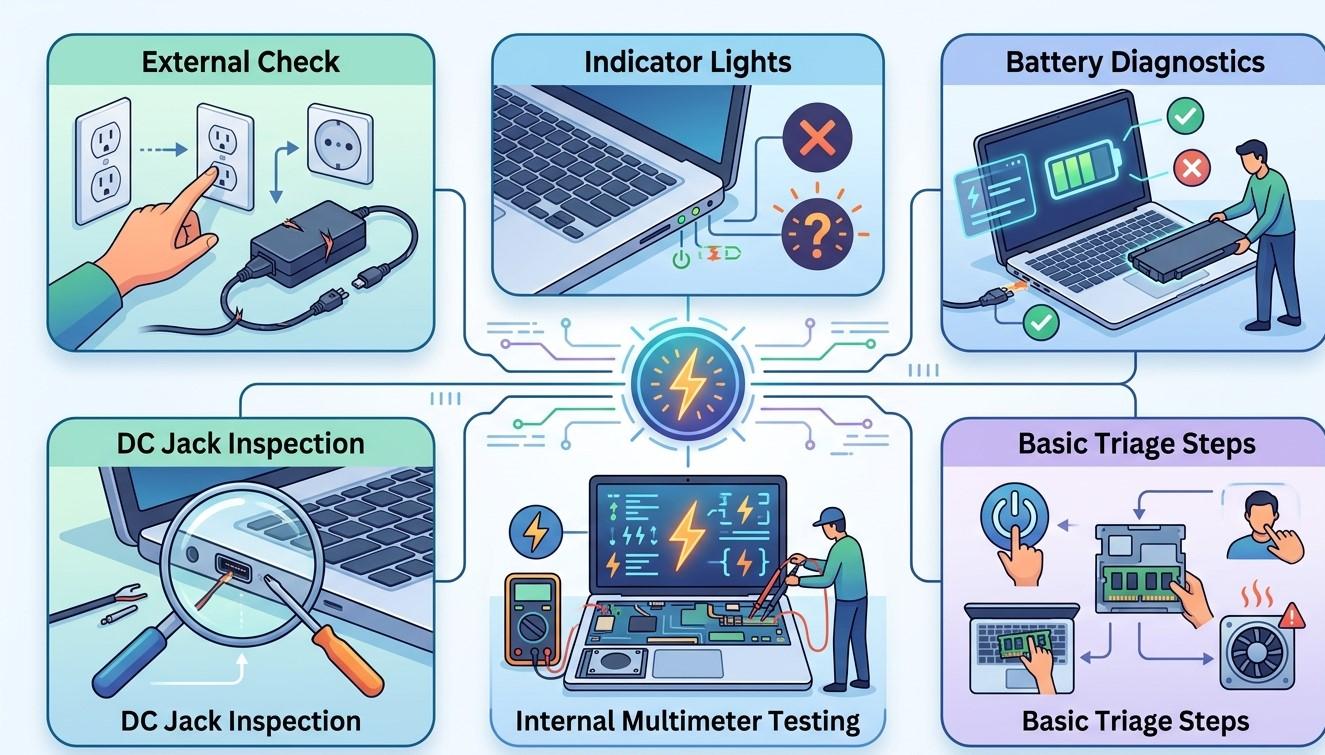
A laptop depends on a complex power system to distribute electricity safely to the battery, processor, motherboard, display, storage, and other components. When part of the power circuit begins to fail, the symptoms can range from intermittent charging to sudden shutdowns and complete failure to turn on. Because several different components can produce similar symptoms, identifying the actual source of a power problem can be challenging.
Early detection is important because continuing to use a laptop with an unstable power system may lead to additional hardware problems. iPC Repair Houston can help diagnose power-related issues and determine whether the problem involves the adapter, charging port, battery, internal connection, or motherboard circuitry. If physical damage has also affected the display, professional laptop screen repair Houston may be needed as part of a complete hardware evaluation.
What Is a Laptop Power Circuit?
The laptop's power circuit consists of several components that work together to receive, regulate, and distribute electrical power. Depending on the laptop design, these may include the AC adapter, charging port, battery, power-management circuitry, voltage regulators, motherboard components, and internal connections.
The system must deliver appropriate voltage to different components. A problem in one part can affect the operation of several others.
This is why laptop power circuit diagnostics should focus on the complete power system rather than immediately replacing a single component.
1. The Laptop Does Not Turn On
One of the most obvious warning signs is a laptop that does not respond when the power button is pressed.
Possible causes include:
- Dead battery
- Faulty power adapter
- Damaged charging port
- Internal connection failure
- Power-button problem
- Motherboard power-circuit damage
If there are no lights, sounds, fan activity, or other signs of power, professional testing may be necessary to determine whether electricity is reaching the motherboard.
2. Charging Becomes Intermittent
A laptop that repeatedly switches between charging and battery power may have an issue within its power system.
Watch for symptoms such as:
- Charging starts and stops
- Battery status changes unexpectedly
- Laptop charges only at a certain cable angle
- Adapter is repeatedly detected and disconnected
- Battery percentage remains unchanged despite being plugged in
A damaged cable or adapter can cause these symptoms, but so can a loose charging port or motherboard-related power problem.
3. Unexpected Shutdowns
Sudden shutdowns can be caused by overheating, software problems, battery failure, or power-circuit instability.
If shutdowns happen even when the laptop is adequately charged and temperatures appear normal, the power system should be considered as a possible cause.
Repeated shutdowns can interrupt work and may also create a risk of unsaved data loss.
4. The Laptop Only Works With the Charger Connected
If a laptop operates normally while plugged in but immediately shuts down when the charger is removed, the battery may be severely degraded or disconnected.
However, a power-management problem can sometimes create similar behavior.
Testing the battery and charging system together can help determine whether the issue is simply an aging battery or something deeper within the power circuitry.
5. Unusual Heat Near the Charging Area
A power-related component that is malfunctioning may produce excessive heat.
Pay attention if you notice unusual warmth around:
- Charging ports
- Adapter connectors
- Bottom-panel areas
- Motherboard sections
Some warmth during normal operation is expected, but localized excessive heat combined with charging problems should be investigated.
If you notice smoke, a burning odor, or signs of melting, stop using the laptop and disconnect it from power when safe to do so.
6. The Power Adapter Becomes Extremely Hot
Power adapters normally become warm during use. However, excessive heat, unusual noises, damaged insulation, or intermittent operation can indicate an adapter problem.
Because a faulty adapter can potentially affect the laptop's power system, using a damaged or incompatible replacement is not recommended.
Always use an adapter that meets the laptop manufacturer's voltage, current, connector, and compatibility requirements.
7. USB and Other Ports Start Behaving Unusually
Power-related problems do not always remain limited to charging. Some USB ports and other connections depend on motherboard power circuitry.
If several ports begin malfunctioning around the same time as charging problems, the issue may involve the motherboard rather than individual ports.
This is especially important when multiple hardware symptoms appear simultaneously.
8. Liquid Exposure Can Damage Power Circuits
Liquid is a serious threat to laptop power systems. Moisture can reach the motherboard through the keyboard, ports, ventilation openings, or other gaps.
Liquid may create short circuits or corrosion that damages power-management components.
A laptop may continue working immediately after a spill and develop power problems later. If liquid enters the device, turn it off, disconnect the charger, and avoid repeatedly powering it on.
Professional inspection can help identify potential internal damage before the problem becomes more severe.
9. Power Surges Can Affect Motherboard Components
Electrical surges can potentially damage sensitive power-management components.
After a major electrical event, users may notice:
- Laptop will not start
- Charging stops working
- Battery is not detected
- USB ports malfunction
- Unexpected shutdowns
- Adapter is not recognized
A surge-related failure may not always be visible externally. Professional motherboard diagnostics can help determine whether power circuitry has been affected.
10. Physical Damage Can Affect Power Connections
Dropping a laptop or placing excessive pressure on it can damage charging ports, internal cables, connectors, or motherboard solder points.
A laptop may continue working after an impact but develop intermittent power problems later.
Physical damage can also affect the display. If the same accident caused screen problems, laptop screen repair Houston may be necessary.
Customers searching for screen repair Houston TX after a drop should consider having the entire device inspected for hidden internal damage rather than focusing exclusively on the screen.
Basic Checks Before Professional Repair
Before seeking professional assistance, users can perform a few simple checks:
- Confirm the power adapter is properly connected.
- Check the cable for visible damage.
- Try a known-compatible power outlet.
- Disconnect unnecessary accessories.
- Restart the laptop if it remains operational.
- Observe whether charging changes when the cable moves.
- Note unusual sounds, smells, or heat.
Avoid opening the laptop or probing electrical components unless you have the appropriate technical knowledge.
Why Professional Diagnostics Matter
Power-circuit problems can be difficult to diagnose because symptoms often overlap with battery, adapter, charging-port, motherboard, and software problems.
Replacing the battery, for example, will not fix a damaged motherboard power circuit. Likewise, replacing an adapter will not resolve a physically damaged charging port.
Professional laptop power diagnostics can help identify the actual source of the problem before unnecessary parts are replaced.
iPC Repair Houston can evaluate charging behavior, power connections, battery performance, and related hardware to determine the most appropriate repair approach.
How to Reduce Power-System Problems
Good maintenance habits can reduce unnecessary stress on a laptop's power system:
- Use the correct charger.
- Avoid damaged charging cables.
- Do not force connectors into ports.
- Keep liquids away from the device.
- Protect the laptop from drops and impacts.
- Avoid excessive heat.
- Use surge protection where appropriate.
- Address intermittent charging promptly.
- Have unusual power symptoms professionally evaluated.
These precautions can help protect both the laptop's power system and other connected components.
Conclusion
Laptop power-circuit problems can appear through many different symptoms, including intermittent charging, unexpected shutdowns, startup failures, excessive heat, battery detection problems, and malfunctioning ports. Because these signs can also result from simpler issues such as a damaged adapter or aging battery, proper diagnosis is essential.
Early laptop power diagnostics can help identify whether the problem involves the charger, battery, charging port, internal connections, or motherboard circuitry. If physical damage has also affected the display, laptop screen repair Houston or screen repair Houston TX services may be required alongside a broader hardware inspection. With professional support from iPC Repair Houston, laptop owners can identify power-related problems early and take appropriate steps to restore reliable operation while reducing the risk of further hardware damage.

 English
 Arabic
 French
 Spanish
 Portuguese
 Deutsch
 Turkish
 Dutch
Dutch
 Italiano
 Romaian
 Portuguese (Brazil)
 Greek
Greek
 ไทย
ไทย