
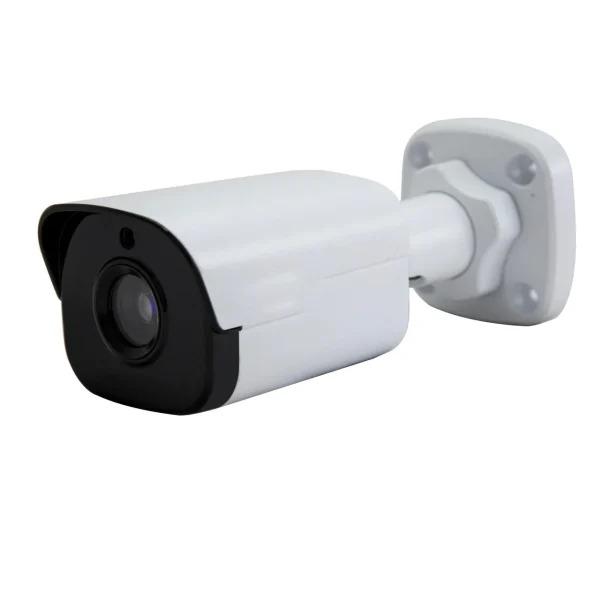

Nikhil owns three cafes, and he can’t remember which one has the fuzzy camera. Was it the downtown shop or the one by the university? A manager texted him a photo with a note that said, this again. Nikhil stared at it and realized he had no record of when anything was installed, repaired or replaced.
A small log fixes that. Here’s how to keep one for security camera repairs across several locations, using what Worldstar’s page says about lifespan, support, warranty and software, plus the plain habits Nikhil built after that confusing text from a very patient manager.
Why a Log Beats Memory
Memory fails at the worst times. Three locations means three recorders, a dozen cameras and a pile of receipts. The page says professional cameras last 5 to 10 years in normal conditions, so every camera has a quiet clock running. Without a log, nobody knows which cameras are in year two and which are in year eight.
A log doesn’t need to be fancy. A shared spreadsheet or a notebook in each cafe works fine. Nikhil picked a shared sheet his managers could open from their phones. The point is one place to look, so a question like which camera is old gets answered in ten seconds instead of a long group chat with seventeen opinions.
What to Record
Keep a few things per camera. The location, the model, the install date, who installed it and any repairs with dates. Add the recorder’s model and where it lives. A short note about what broke and what fixed it is gold. When a technician asks questions during security camera repairs, the log answers most of them before you finish the sentence.
Add warranty notes. The page has a warranty and returns section, so link or copy the terms. Keep the receipt photo with the entry. Nikhil’s managers snap a picture of every receipt and drop it into a shared folder. It takes ten seconds, and it ended an argument about whether a camera was still covered, which was nice for everyone’s mood.
Spring and Fall Checks
Pick two dates a year. Each cafe gets a short check. Wipe lenses, test alerts, play back a clip, check storage. The NVR checklist on Worldstar’s blog lists storage, network settings, camera enrollment, recording rules, remote access and final verification, and Nikhil turned it into a one page form each manager signs and photographs. It’s quick, and it makes problems visible early.
The page says periodic maintenance helps cameras last, and its 5th Gen full color line gets free software upgrades for the life of the product. A check also catches odd things, like a camera pushed out of position by a delivery cart. Nikhil’s downtown manager found one aimed at the ceiling, which explained months of mystery footage of a lovely light fixture.
Remote Checks Between Visits
Not every check needs a trip. The page says live footage can be viewed from anywhere with an internet connection, and Worldstar lists the Guard Live app, a DMSS push notification page and software downloads. Nikhil glances at each cafe’s cameras on Monday morning. A frozen picture or a missing camera shows up in seconds, and he adds a line to the log.
Support helps with the rest. Worldstar lists online support through TeamViewer, so a technician can check settings on a screen. When the university cafe’s recorder showed a storage warning, a remote session found the drive nearly full and fixed the recording settings. That was a ten minute call, no truck and no bill, and the log got a new entry.
Planning Replacements Without Panic
The log makes replacements predictable. A camera in year eight goes on next year’s list, not this week’s emergency. The page says the shop’s technicians diagnose cameras brought in and recommend a course of action, so a failing camera gets a real answer instead of a guess. Nikhil sets aside a small budget each year for planned swaps.
Pick cameras that fit the job. The page shows 4th Gen and 5th Gen night comparisons, and the 5th Gen line runs full color around the clock with Ultra Motion Detection. A cafe by a busy street at night benefits from that. Nikhil replaced the university cafe’s oldest camera first, and the manager told him the picture looked like a different building, in a good way.
Installers, Spares and Wholesale Security Cameras
Multi location owners benefit from one reliable installer. Ask whether they keep spares for your sites. The page says installers, distributors and resellers can apply for wholesale security cameras through the dealer program, and a sales professional sets up pricing. An installer with a good dealer supply can swap a camera quickly at any of your locations.
Share the log with them. A clean record saves time on every visit. Free shipping applies to retail orders over $150, and Worldstar lists lifetime support and software upgrades. The page also warns against unauthorized resellers, so ask where replacement gear comes from. Nikhil gave his installer view access to the log, and the first visit after that took half the usual time.
Nikhil’s Monday Routine
Nikhil’s Monday routine takes five minutes now. A glance at three cafes, a line or two in the log and a coffee. If you manage several locations, keep a simple record of cameras, dates and fixes, check twice a year and plan replacements early. Good security camera repairs start with good notes. And ask your installer about their wholesale security cameras supply.
FAQs
What should a camera log include?
Location, model, install date, installer, repair dates, warranty notes and a short note about each problem and fix.
How often should I check cameras?
The page says to maintain cameras periodically. Two checks a year is a sensible start, and you can adjust it to your sites.
How long do cameras last?
The page says professional cameras last 5 to 10 years in normal conditions.
Can I check cameras remotely?
The page says live footage can be viewed from anywhere with an internet connection, and Worldstar lists the Guard Live app and TeamViewer online support.
Why ask installers about wholesale security cameras?
The page says installers, distributors and resellers can apply for dealer pricing, and installers with supply can swap cameras faster.


